


![[DEV]AB](/data/avatars/s/2135/2135420.jpg?1657747839)


Türkiye'de ilk Mobil & PC Aynı Anda Metin2 Oyna. Triarchonline kalıcı ve uzun ömürlü yapısı ile 24 Temmuz'da açılıyor. | 1-99 Mobil Metin2 Triarch HEMEN TIKLA!
Hello everyone,
I want to introduce my small but very practical tool that helps you work with C++ source files and Python client files. It is designed to identify define blocks in source files and optionally scan Python client files for defines.
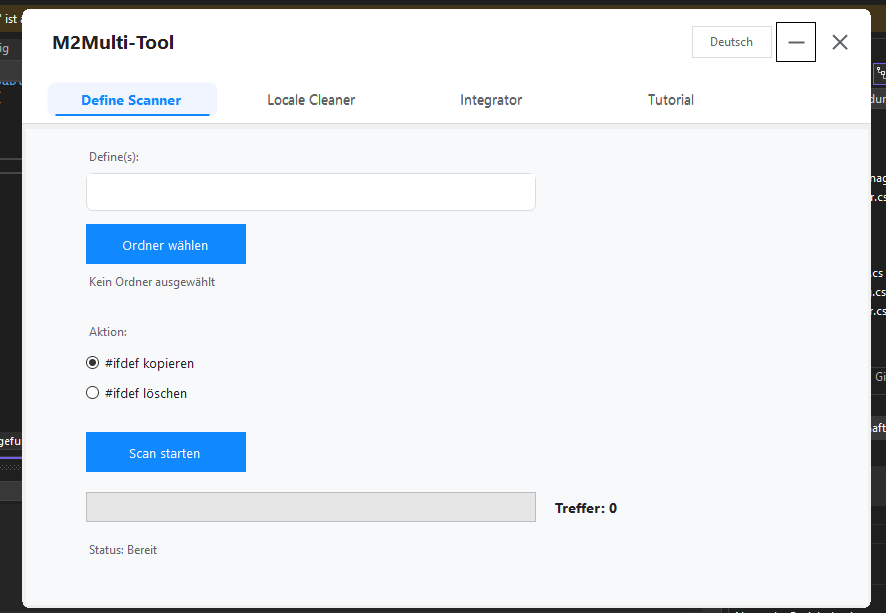
Actually in German and Englisch version , Turkish will be added today.
NEU!!! Tutorial-Bereich hinzugefügt!
I want to introduce my small but very practical tool that helps you work with C++ source files and Python client files. It is designed to identify define blocks in source files and optionally scan Python client files for defines.
Core Features
- Define Scanner (C++ Source)
- Scans all .cpp and .h files in a selected folder.
- Finds complete #ifdef blocks for the provided defines.
- Option to copy or delete the blocks.
- Output is stored in structured folders under DefineScan_System with all files and block info.
- Client Scanner (Python)
- Optional scan of .py files in the client folder.
- Searches for if app. defines.
- Detects complete Python if-blocks, including nested blocks, elif and else.
- Output is stored in structured folders under DefineScan_Client.
- Flexible Define Input
- Multiple defines can be separated by comma, semicolon, or space.
How to use the tool
- Select Folder
- Choose the folder for system scan (.cpp / .h files).
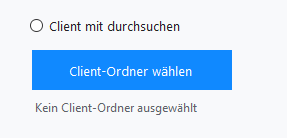
- Optional: Enable “Scan Client” and select the client folder (.py files).
- Enter Defines
- Example: ENABLE_TEST, ENABLE_RENDER.
- Separate multiple defines with, , ; or space.
- Choose Action
- #ifdef copy -> blocks are saved in new folders.
- #ifdef delete -> blocks are removed from files (backup is created).
- Start Scan
- Click “Start Scan”.
- Progress bar shows current progress.
- Hits are counted and files are saved in output folders.
Actually in German and Englisch version , Turkish will be added today.
NEU!!! Tutorial-Bereich hinzugefügt!
Linkleri görebilmek için Turkmmo Forumuna ÜYE olmanız gerekmektedir.
Linkleri görebilmek için Turkmmo Forumuna ÜYE olmanız gerekmektedir.
Moderatör tarafında düzenlendi:


İndirme linki reklam barındırdığı için konu güncelleştirilip kapatılmıştır. Linki düzenlemek isterseniz özel mesaj atabilirsiniz.
İndirilecek dosya kaynağa eklenmiş olup virustotal konuya dahil edilmiştir. İyi kullanımlar
Şu an konuyu görüntüleyenler (Toplam : 0, Üye: 0, Misafir: 0)
Benzer konular

- Cevaplar
- 9
- Görüntüleme
- 629

- Cevaplar
- 72
- Görüntüleme
- 2K

- Cevaplar
- 5
- Görüntüleme
- 670

- Cevaplar
- 2
- Görüntüleme
- 392

- Cevaplar
- 7
- Görüntüleme
- 3K