


HERAKLES Otomatik Avlı kalıcı sunucu. 19 Haziran'da açılıyor. Atius & Wizard güvencesiyle hemen kayıt ol, ön kayıt ödülleri aktif. HEMEN TIKLA!
I know many will have problems with hackers flooding the site and I had so much trouble and I searched until I found with all the tutorial even if the tutorial is in German are pictures and show you exactly how to do it.
It is protection that is used on official servers.
Web Security are official partners of people from Nod32.
Admin Panel have three obtions:
Turn On / Off (starts protection)
Scan (scans the site for shells and vulnerabilities)
Logs Ip (there's a list of IPs that tried to flood the site looks and whether he succeeded or not he used)
Download
Tutorial
Step 1
Step 2
If you want to scan ori chack the ip attackator make like in the pics:


Test:
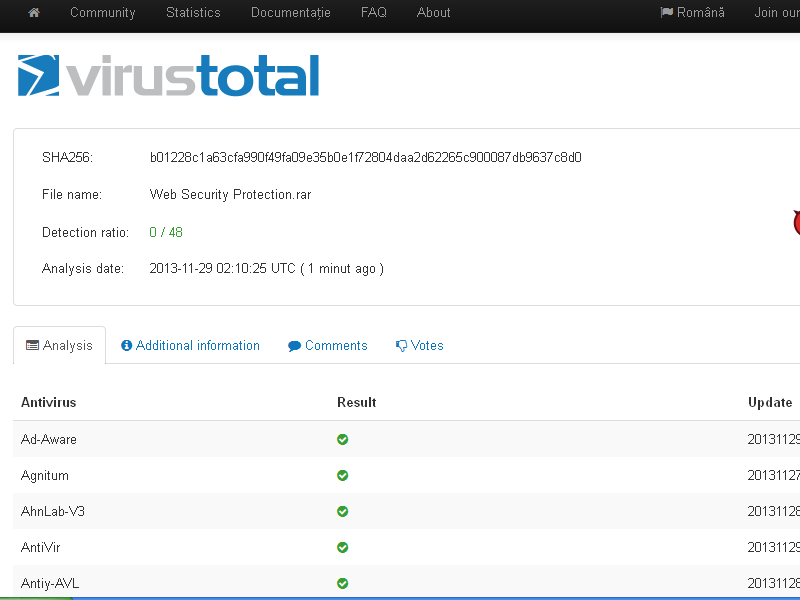

It is protection that is used on official servers.
Web Security are official partners of people from Nod32.
Admin Panel have three obtions:
Turn On / Off (starts protection)
Scan (scans the site for shells and vulnerabilities)
Logs Ip (there's a list of IPs that tried to flood the site looks and whether he succeeded or not he used)
Protection From:
Anti DDos Attack
Anti Flood Attack
Anti Shell Infect
Anti Mysqli
New FireWall
Security vulnerabilites
Scan you website for :
Php Vulnerabilites
Phpbb Vulnerabilites
Mysql Injection
Mysql Control
Download
Linkleri görebilmek için Turkmmo Forumuna ÜYE olmanız gerekmektedir.
Tutorial
Step 1
Upload folder /protection
open http://sitename.com/protection/index.php
1. Host : Server IP
2. User : User name root
3. Pass : Sql password
4. Site : website
5. Email: your email
6. Username: admin name
7.Pass : admin pass
8. Rep : repet admin pass
Like in the photo:

After you check what protection you need for your site and if you want the ip attacking you remain saved

Then comes the vulnerability scan settings you need chicken
Caution below do not need to edit anything

Then press the button and you with for this mesage Tanks for using us or same link that .
open http://sitename.com/protection/login/index.php
There is the Admin Panel /protection/login/index.php
Login with admin user and admin password:

open http://sitename.com/protection/index.php
1. Host : Server IP
2. User : User name root
3. Pass : Sql password
4. Site : website
5. Email: your email
6. Username: admin name
7.Pass : admin pass
8. Rep : repet admin pass
Like in the photo:
After you check what protection you need for your site and if you want the ip attacking you remain saved
Then comes the vulnerability scan settings you need chicken
Caution below do not need to edit anything
Then press the button and you with for this mesage Tanks for using us or same link that .
open http://sitename.com/protection/login/index.php
There is the Admin Panel /protection/login/index.php
Login with admin user and admin password:
Step 2
Active the protection like in the picture

The Protection is ON
The Protection is ON
If you want to scan ori chack the ip attackator make like in the pics:
Test:


Şu an konuyu görüntüleyenler (Toplam : 0, Üye: 0, Misafir: 0)
Benzer konular


- Cevaplar
- 1
- Görüntüleme
- 128


- 5.00 yıldız(lar) 1 Değerlendirme
- Cevaplar
- 3
- Görüntüleme
- 108
