


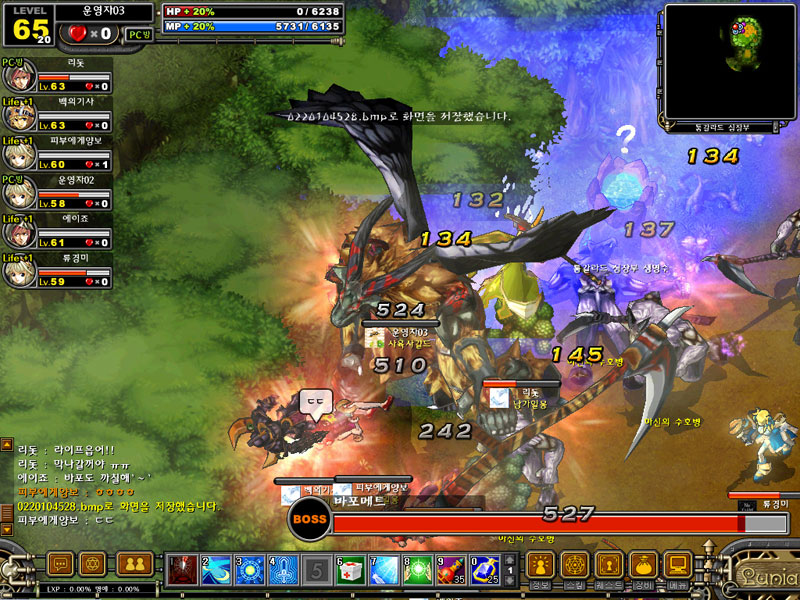
I had a little look into making it English but failed so far. Not sure when I'll get around to looking into it again.
Here's the updated Server files to run with 2.7 though for anyone interested:
Linkleri görebilmek için Turkmmo Forumuna ÜYE olmanız gerekmektedir.
Linkleri görebilmek için Turkmmo Forumuna ÜYE olmanız gerekmektedir.
Linkleri görebilmek için Turkmmo Forumuna ÜYE olmanız gerekmektedir.
MediaFire is a simple to use free service that lets you put all your photos, documents, music, and video in a single place so you can access them anywhere and share them everywhere.
Linkleri görebilmek için Turkmmo Forumuna ÜYE olmanız gerekmektedir.
Quick setup guide too:
Spoiler: Setup
- Download the files I posted here:
Linkleri görebilmek için Turkmmo Forumuna ÜYE olmanız gerekmektedir.
- Setup an SQL Server (I used SQLEXPRESS & SSMS19)
- Make sure to setup SQL Authentication user (username is sa)
- Create a database then restore the .bak files found in the Database folder from step one
- Setup IIS (I use Windows 10, just google how to enable it - Make sure you enable ASP support)
- Open IIS Manager and make a new website called Lunia (can be anyname)
- The root of the website should be inside Webserver folder from the files in step 1
- Run the website - You can test its running if you put "
Linkleri görebilmek için Turkmmo Forumuna ÜYE olmanız gerekmektedir." in your browser and a register page should show
- Now you need to make the Webserver speak to your Database setup from step 2
- Easiest way it to download IntelliJ (Free version is fine)
- In IntelliJ do File -> Open, select the folder that your IIS website is using
- Do a Ctrl + Shift + R to do a project wide search and replace and look for "KANE\SQLEXPRESS"
- You should see alot of lines similar to:
GetConnStr("KANE\SQLEXPRESS","shop","sa","kaneshaw") - Replace "KANE\SQLEXPRESS" with the name of your SQL Server which can be found in SSMS during login
- Replace "sa" with the username you created in step 1, this might be the same
- Replace "kaneshaw" with the password you created for sa
- You may need to restart your IIS website in IIS manager to reflect the changes
- You can check if the connection is successful as you should be able to create an account using:
Linkleri görebilmek için Turkmmo Forumuna ÜYE olmanız gerekmektedir.
Which should add a new account to the database
- Open the "Server" folder (or the KaneServerTest folder for 2.7 client)
- Fix the bat shortcuts if you want to use them
- If not you just need to open "Run.bat" in the following folders Master -> Lobby -> Square -> Stage
- Master + Lobby servers will be up and running almost instantly, this will allow you to open the client, login and select a character
- Square + Stage servers take awhile to load completely (more on this below), you'll know its running when it says "enter>" in the console
- Download the Lunia.Info Client from here:
Linkleri görebilmek için Turkmmo Forumuna ÜYE olmanız gerekmektedir.
- Add the ConnectInfo.b file from my zip file at the top of this post to point it to 127.0.0.1
- Right click on LuniaClient.exe and click "create shortcut"
- Open the properties of the shortcut
- In the Target field you need to add " RUNGAME" at the end (a space after whats already there then RUNGAME)
- Apply and Save
- Double click shortcut to run the Client
In the event that someone has a great enough desire for the Lunia 2.7 client that goes hand-in-hand with the files I previously leaked, you can download yourself a copy here:
Linkleri görebilmek için Turkmmo Forumuna ÜYE olmanız gerekmektedir.
(This client can be used to log into 2.7 leaked executables if you can bypass HWID and time restrictions; EXEs were locked to a time period too. If you set your machine's time back to October of 2014, for example, they will run, while if your system time is set to today, they will not run, assuming HWID is bypassed successfully) (Do note that this client is wholly fucked in the sense that it doesn't even use authentication lol. It does not even send a password to the server, only a username, so there is no way to even authenticate users.)
Linkleri görebilmek için Turkmmo Forumuna ÜYE olmanız gerekmektedir.
(The protocols on this client do not match the leaked 2.7 files, and as a result, are unsuitable for logging in and playing; although this would be the client to use if upgrading the source code from 2.6 to 2.7 as both are the TW-Publisher variant)
Linkleri görebilmek için Turkmmo Forumuna ÜYE olmanız gerekmektedir.
Linkleri görebilmek için Turkmmo Forumuna ÜYE olmanız gerekmektedir.
MediaFire is a simple to use free service that lets you put all your photos, documents, music, and video in a single place so you can access them anywhere and share them everywhere.
Linkleri görebilmek için Turkmmo Forumuna ÜYE olmanız gerekmektedir.
Skill Crash Fix
Spoiler
Skill crash was because I noticed that StageServer wasn't reading ProjectileInfo so I added it in, thinking it was needed. After removing it, all skills don't seem to crash anymore.
Fixed StageServer is here:
Linkleri görebilmek için Turkmmo Forumuna ÜYE olmanız gerekmektedir.
Only change is it no longer reads the ProjectileInfo files.
English Client (Requires Lunia.Info client from previous page)
Spoiler
To make the Lunia.Info client in English, extract this into the Clients root folder and replace:
Linkleri görebilmek için Turkmmo Forumuna ÜYE olmanız gerekmektedir.
If you want to use a different language, open "SystemConfig.xml" and change the Language value. Possible entries are:
- English
- ChineseT
- ChineseS
- Japanese
- Korean
- Korean2
- Portugese
Current Issues
- Level 75 skills don't do damage?
Son düzenleme:
Şu an konuyu görüntüleyenler (Toplam : 0, Üye: 0, Misafir: 0)
Benzer konular
- Cevaplar
- 7
- Görüntüleme
- 234
- Cevaplar
- 95
- Görüntüleme
- 13K
- Cevaplar
- 0
- Görüntüleme
- 11
- Cevaplar
- 0
- Görüntüleme
- 102